Every coding agent. One native Mac window.
Run Claude Code, Codex, Gemini CLI and 9 more side by side, with a code editor, Source Control and live usage limits built in.
macOS 15+ · Apple Silicon & Intel · Signed & notarized · 14-day free trial
Projects
- Vibe Console
- Pixel Forge
- Nebula Notes
- Atlas API
Files
- src
- app
- layout.tsx
- page.tsx
- components
- lib
- utils.ts
Five terminal windows, a separate editor, a git client and a usage tab. Or one window.
- Five terminal windowsUp to 10 terminals per project, in tabs or a grid
- A separate editorA tabbed code editor next to your agents
- A git clientSource Control: diffs, commits, branches, stashes
- A usage tab in the browserClaude Code and Codex limits in the notch
12 agent CLIs. One Start button.
Pick an agent, press Start. Each terminal can run a different one, so Claude Code can build while Codex reviews.
Works with the CLIs you already use
 Claude Code
 Codex CLI
 Grok Build
 Gemini CLI
 GitHub Copilot CLI
 Cursor CLI
 Qwen Code
 Kimi Code
 OpenCode
 Kiro CLI
 Command Code
 Devin CLI
You bring the CLIs and your own accounts. Vibe Console starts them, lays them out and keeps them per project.
Up to 10 terminals per project
In tabs, or in a grid up to 3×3. Pick a layout.
Claude CodeCodex CLIGrok BuildGemini CLIGitHub Copilot CLICursor CLIQwen CodeKimi CodeRun a whole team of agents.
One manager, a full team, every member on its own task in your project.
- 1One managerYou talk to it. It plans and hands out the tasks.
- 2A live task boardWatch the team work on a live org chart.
- 3Every task reviewedWhoever hands out a task reviews it. Nothing is committed unless you ask.
Click a seat to take it off the team or bring it back.
Claude Code
Manager
ModelOpus 5.5
AdvisorOff
Idle
Codex CLI
Tech Lead
ModelGPT-6-Sol
Reviewing #2 · Build the payments API
Claude Code
Designer
ModelOpus 5.5
AdvisorOff
Idle
Claude Code
Engineer
ModelOpus 5.5
AdvisorOff
Waiting for review of #2
Codex CLI
Engineer
ModelGPT-6-Sol
Waiting for review of #3
Claude Code
QA
ModelOpus 5.5
AdvisorOff
On #4 · Write checkout tests
Tasks
#1 Plan the checkout flow
Done· Tech Lead
#2 Build the payments API
In review· Engineer
#3 Build the cart UI
In review· Engineer
#4 Write checkout tests
Assigned· QA
#5 Polish empty states
Done· Designer
Every seat runs any of the 9 agents:
- Claude
- Codex
- Grok
- Gemini
- Copilot
- Cursor
- Qwen
- OpenCode
- Kiro
Keep working from anywhere.
Vibe Remote: control Vibe Console from your iPhone, included with Vibe Console Pro. Stay with your agents when you step away: their questions, their terminals, your usage and your teams.
Answer your agents
Approve or decline what Claude Code, Codex CLI, Grok Build, Gemini CLI, GitHub Copilot CLI, Cursor CLI, Qwen Code, Kimi Code, OpenCode, Kiro CLI, Command Code and Devin CLI ask, wherever you are.
Every terminal, full screen
Open any terminal or start an agent with ⌘K. Type on a key bar that works like a Mac keyboard, dictate a prompt or send a photo straight into the terminal.
Your project in your pocket
Files, Source Control, Saved Prompts and past conversations. Stage, commit, pull and push from the phone.
Your Mac and its dev servers
CPU, memory and every running server on your Mac. Open a dev server's page on the phone, live reload included, or stop it.
Usage and teams
Usage rings for every agent, as on the Mac. Start or stop a project's team and follow its live chart.
Pair once on your Wi-Fi
Scan the QR code once on your Mac's Wi-Fi. With Vibe Console Pro and Connect from anywhere turned on at the Mac, it also connects from any network, end-to-end encrypted.
Works with Vibe Console on your Mac. Included with Vibe Console Pro.
Everything around the agents, built in.
Read what they wrote, commit what you keep and see how much of your limit is left, without leaving the window.
A code editor next to your terminals
Tabs, syntax highlighting, folding, bracket matching and a git gutter. Images, PDFs and video open in a preview.
Usage limits in the notch
Claude Code and Codex usage rings in the notch and toolbar, with reset times. Hover or tap the notch.
Source Control
Review diffs, stage and commit, fetch, pull and push. Manage branches and stashes, and see and remove worktrees.
Files you can hand to your agent
Browse, create, rename and trash files. Drag a file or image into a terminal to give it to the agent.
Speak your prompt
Press ⌘D and talk to your agent. Every pause pastes what you said into the terminal, and Send presses Return. Recognition runs on your Mac when your language supports it, and voice input works in Vibe Remote too.
- Add your own skill repositories
- Saved Prompts, pasted in one click
- Ten themes, glass and your own colors
How it compares.
Terminals, an editor and git usually come from different apps. Here is where each one stops.
| Feature | Vibe Console | Warp | iTerm2 | Termius |
|---|---|---|---|---|
| Native app, not Electron | Yes | Yes | Yes | Electron |
| Starts 12 agent CLIs from one picker | Yes | Runs them, no picker | No equivalent built-in feature found | No equivalent built-in feature found |
| Agent team: a manager hands tasks to other agents | Yes | Parallel agents | No equivalent built-in feature found | No equivalent built-in feature found |
| Terminal grids per project | Up to 3×3 | Split panes | Split panes | Split view |
| Built-in code editor | Yes | Lightweight | No equivalent built-in feature found | No equivalent built-in feature found |
| Built-in Source Control | Yes | Diff review | No equivalent built-in feature found | No equivalent built-in feature found |
| Live Claude Code and Codex usage limits | Yes | No equivalent built-in feature found | No equivalent built-in feature found | No equivalent built-in feature found |
| iPhone app | Coming soon | No equivalent built-in feature found | No equivalent built-in feature found | Yes |
| Price | $4.99/mo or $39.99/yr | Free + paid plans | Free | Free + $10/mo Pro |
Based on each vendor's public documentation as of September 2026. A dash means we found no equivalent built-in feature. Features change often; corrections to support@vibeconsole.dev. Trademarks, including the agent names and logos on this page, belong to their owners; no affiliation implied.
Why you can trust Vibe Console
Native Swift
SwiftUI and AppKit, not Electron. Universal for Apple Silicon and Intel.
Signed and notarized
Notarized by Apple, so macOS opens it after one confirmation.
No telemetry
No analytics, no tracking. The app doesn't watch what you do.
We can't see your work
The app never sends your projects, files, prompts or settings to us. Vibe Remote traffic is end-to-end encrypted; the relay can't read it.
No surprise charge
The 14-day trial never turns into a subscription on its own. Refund policy
One subscription for Mac and iPhone.
Try Vibe Console free for 14 days on your Mac, then $4.99 a month or $39.99 a year.
- Vibe Remote controls Vibe Console from your iPhone and is included with Vibe Console Pro. On your own network it connects to your Mac directly; Connect from anywhere needs Vibe Console Pro.
- The trial covers Vibe Console on your Mac and never turns into a subscription on its own. It doesn't include Connect from anywhere, and there is no iPhone trial.
- Mac prices in USD, tax added at checkout. On iPhone, the App Store sets the price for your country.
- Get Pro right here, in the Mac app under Settings → Subscription, or in Vibe Remote on iPhone (coming soon to the App Store).
- Renews automatically until you cancel. Mac: cancel at app.link.com · iPhone: in your Apple Account settings.
- Terms · Refund Policy · Privacy Policy
Guides for coding with agents
Practical setups for Claude Code, Codex and the other agent CLIs.
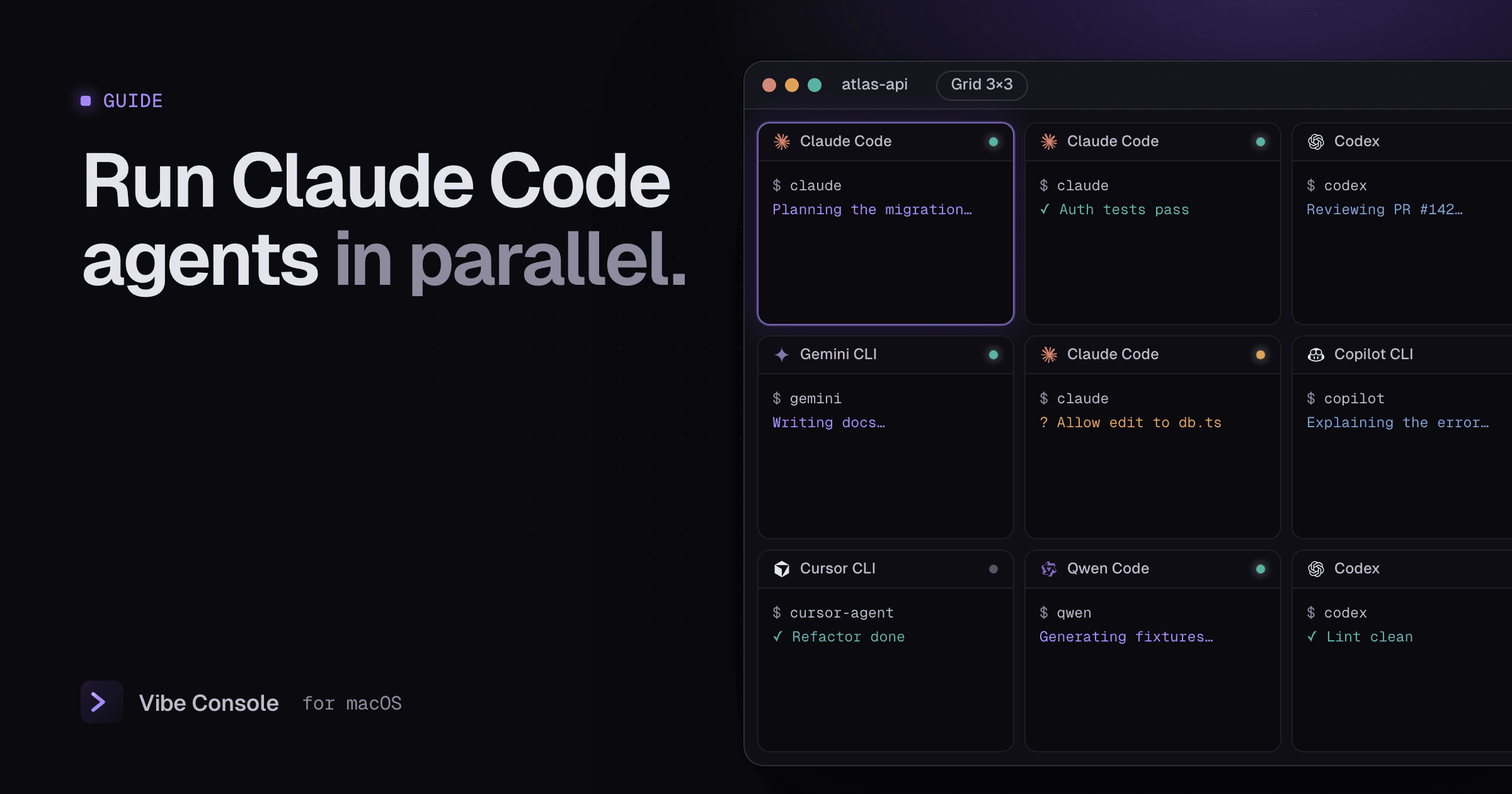
· 4 min read
How to Run Multiple Claude Code Agents in Parallel
A practical Mac setup for running several Claude Code, Codex or Gemini CLI agents at once without overwriting each other's work or burning your limits.
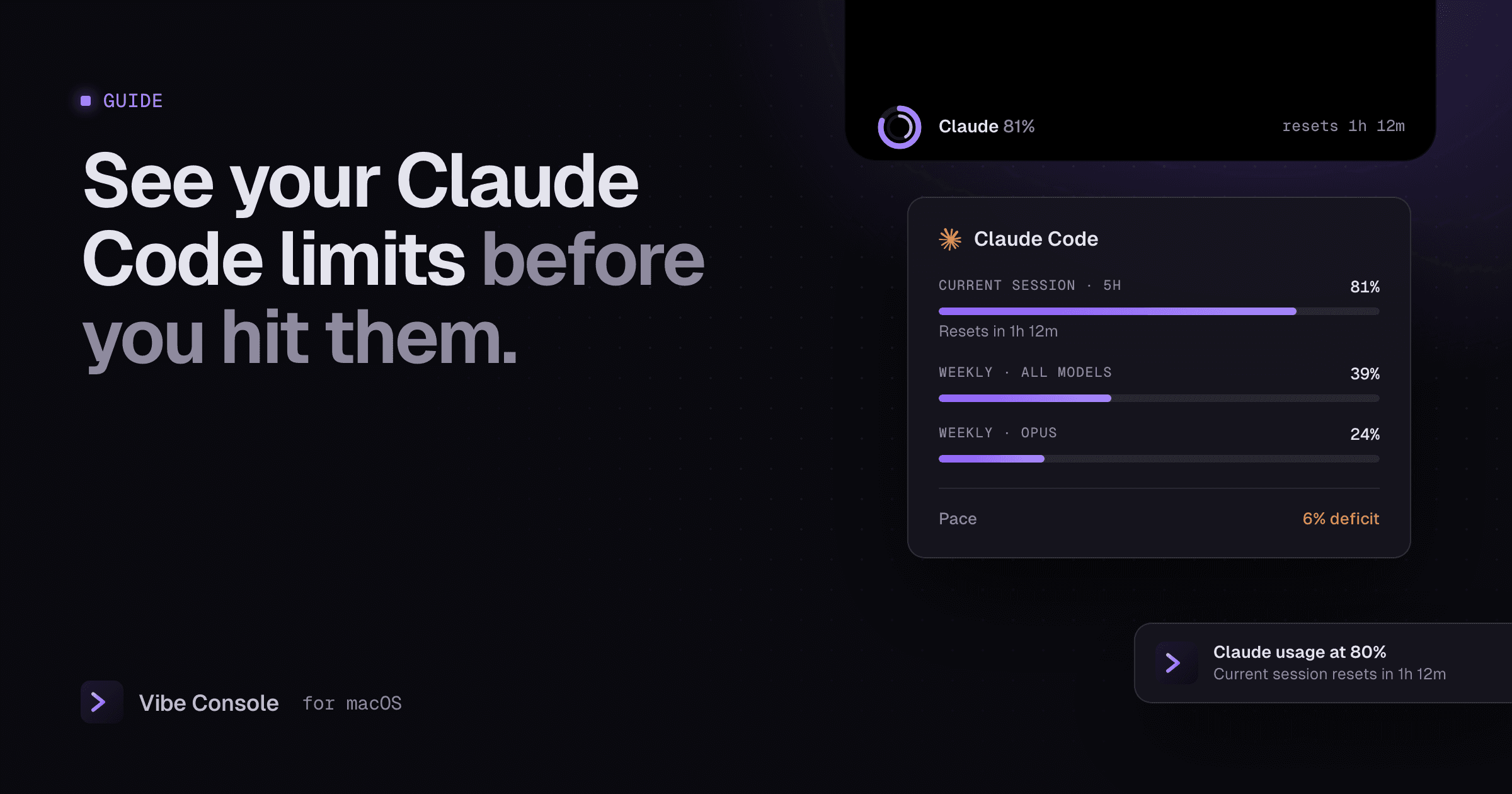
· 3 min read
Claude Code Usage Limits: Track Your 5-Hour and Weekly Limit
How Claude Code's 5-hour and weekly usage limits work, how to check what you have left, and how to see usage and reset times on a Mac.
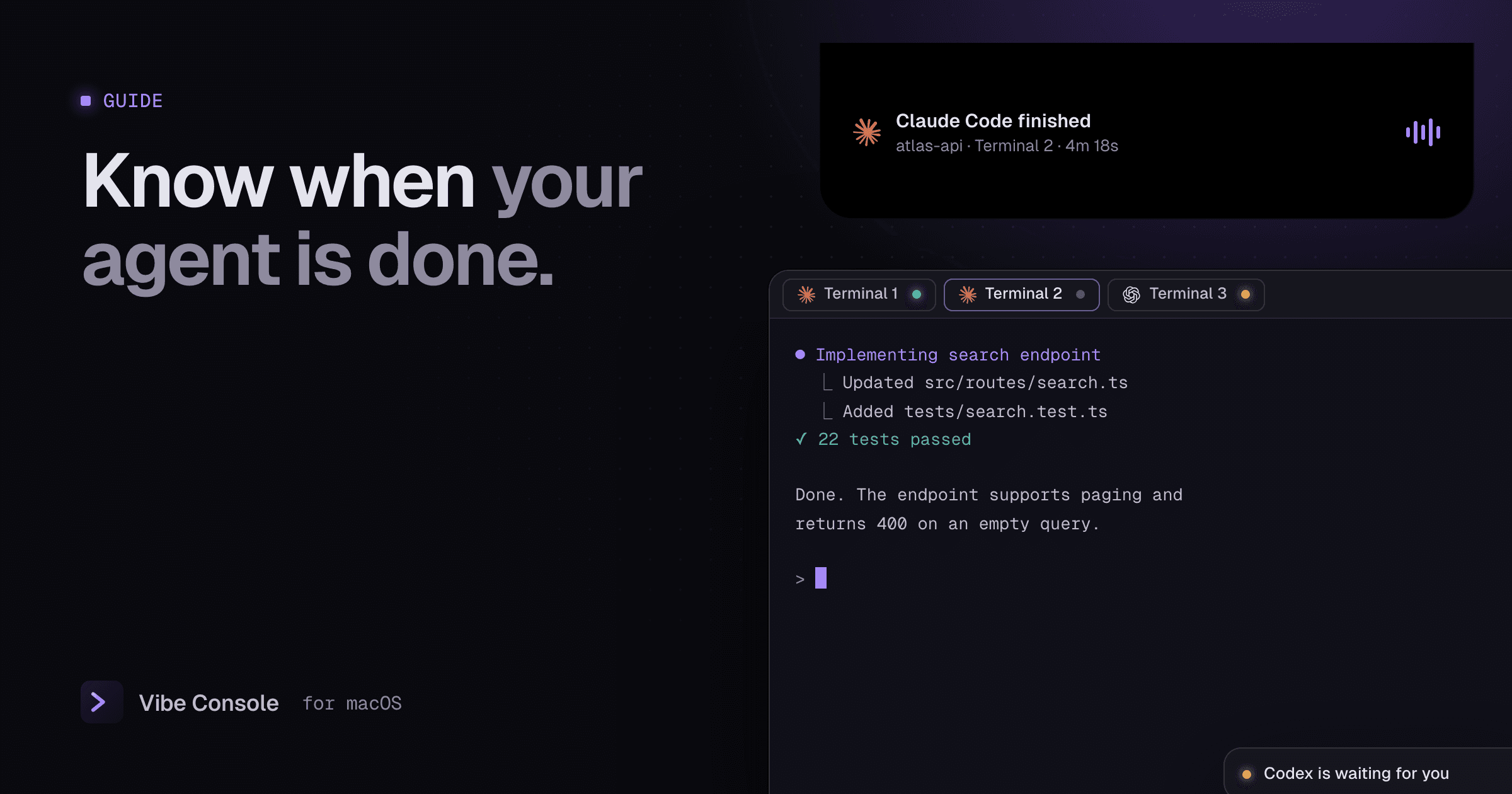
· 3 min read
Claude Code Notifications on Mac: Know When It's Done
Get a macOS notification when Claude Code or Codex finishes or needs your input: Claude Code hooks, Codex notify, or Vibe Console's built-in agent chimes.
Questions, answered.
Something else? Write to support@vibeconsole.dev.
Give your agents one window.
Try it free for 14 days on your Mac. Then $4.99 a month or $39.99 a year.