
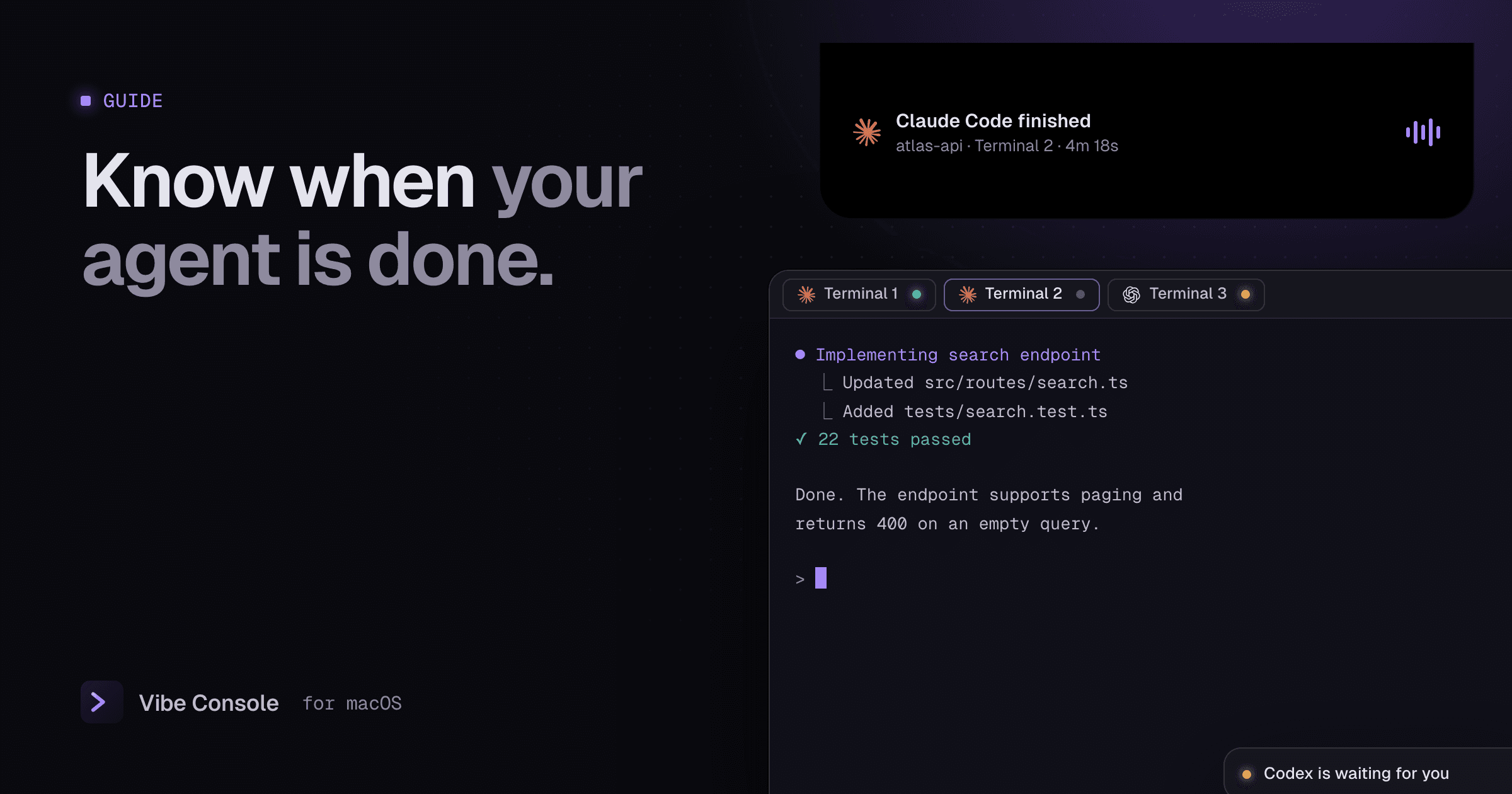
Long agent runs are the point of Claude Code: you hand over a task and do something else. The catch is knowing when to come back. Check too often and you lose the time you saved; check too late and the agent has been waiting for permission since minute two.
There are three ways to fix this on a Mac, from a do-it-yourself hook to a built-in feature.
Two events worth knowing about
Whatever method you use, you want to hear about two different moments:
- Finished. The agent completed its turn and is waiting for your next message.
- Needs input. The agent stopped in the middle of a task, usually to ask permission to run a command or edit a file.
The second one matters more. An agent blocked on a permission prompt makes no progress at all.
Option 1: Claude Code hooks
Claude Code can run a shell command when certain events happen. Two hook events cover the moments above:
Stopruns when Claude finishes responding.Notificationruns when Claude needs your attention, such as a permission request or a long wait for input.
Add them to ~/.claude/settings.json (for all projects) or .claude/settings.json in one project. This example uses osascript, which ships with macOS:
{
  "hooks": {
    "Stop": [
      {
        "hooks": [
          {
            "type": "command",
            "command": "osascript -e 'display notification \"Task finished\" with title \"Claude Code\" sound name \"Glass\"'"
          }
        ]
      }
    ],
    "Notification": [
      {
        "hooks": [
          {
            "type": "command",
            "command": "osascript -e 'display notification \"Waiting for your input\" with title \"Claude Code\" sound name \"Funk\"'"
          }
        ]
      }
    ]
  }
}
Restart Claude Code and run a short task to test it. The first time, macOS may ask whether Script Editor can show notifications.
Limits of this approach: the notification does not say which project or terminal it came from, clicking it does not take you there, and you need a similar setup for every other agent. Check the Claude Code hooks documentation for the current list of events.
Option 2: Codex notify
Codex CLI can run a program after each agent turn. In ~/.codex/config.toml, set notify to a command; Codex passes it a JSON description of the event:
notify = ["osascript", "-e", "display notification \"Codex finished\" with title \"Codex\""]Recent versions of Codex also support hooks, including a Stop event, configured in hooks.json or a [hooks] table in config.toml. Options change between versions, so check the Codex hooks documentation for yours.
Option 3: Built into Vibe Console
Vibe Console watches every agent terminal for you, for all eight supported agents, with no configuration:
- A status dot on every tab shows whether its agent is running or idle, so a grid of agents reads at a glance.
- When an agent finishes, the app plays a sound (Glass by default) and briefly opens the MacBook notch on that session, showing which agent and terminal it was.
- When an agent stops to wait for you, it plays a different sound (Funk by default), so you can tell "done" from "blocked" without looking.
- Both sounds are configurable, or you can turn them off.
It also sends a macOS notification when your Claude Code or Codex usage crosses 80% and 100% of a window. See Claude Code usage limits.
This is most useful when you run several agents at once. See how to run multiple Claude Code agents in parallel.
Which one should you use?
| Hooks / notify | Vibe Console | |
|---|---|---|
| Cost | Free | Included in the app |
| Setup | Per agent, JSON or TOML | None |
| Tells finished from blocked | Yes, with two hooks | Yes, two sounds |
| Shows which terminal | No | Yes, in the notch |
| Works for all eight agents | Only those with hooks | Yes |
If you run one Claude Code session at a time, hooks are enough. If you run several agents across projects, a workspace that knows which terminal is which saves the most time.
FAQ
Why does my Claude Code hook not fire?
Check that the JSON is valid, that the file is in the right place, and that you restarted Claude Code. Run the osascript command in a terminal on its own to confirm notifications are allowed.
Can I get a notification on my phone?
Hooks can call any command, including a push service. Claude Code also supports remote control from its mobile app, so you can check a session away from your desk.
Try the built-in chimes free for 14 days: download Vibe Console.