
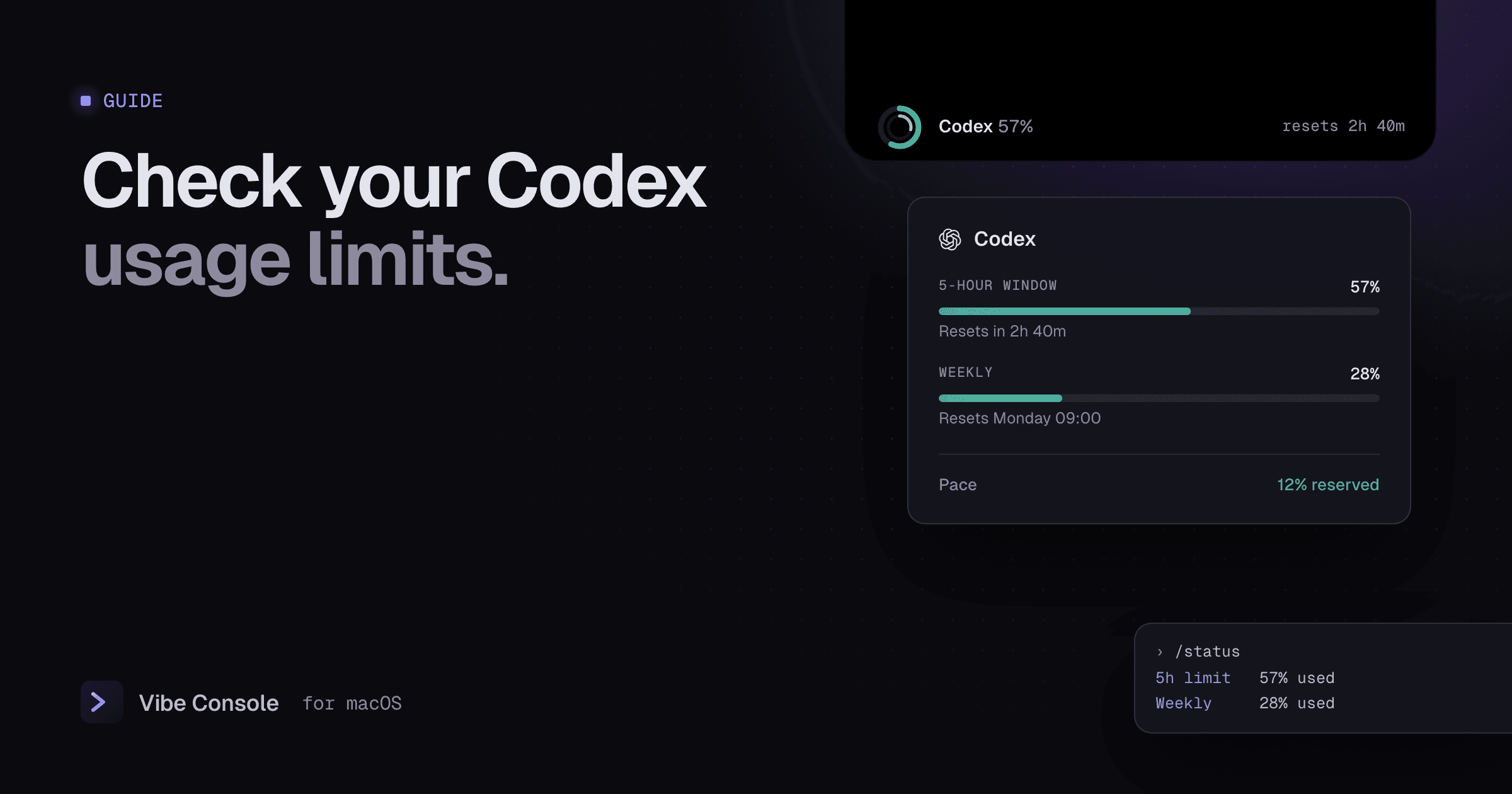
Codex is included with most ChatGPT plans, but not without limits. If you use it for real work, you will eventually see a message that you have hit your limit, usually at the worst moment. This guide explains how Codex limits work, how to check them before that happens, and what your options are when you run out.
Facts checked on September 24, 2026, against OpenAI's Codex documentation. OpenAI updates models and limits often; see the Codex pricing page for current numbers.
How Codex usage limits work
- Five-hour windows. Codex usage on a ChatGPT plan is measured over rolling five-hour periods.
- Weekly limits may apply on top of that. OpenAI does not publish weekly numbers.
- One shared allowance. Local work in the CLI or IDE and cloud tasks draw from the same allowance, which is also shared with ChatGPT's other agent features.
- Estimates, not fixed quotas. How far a window goes depends on the model, the size of your context, reasoning effort and the tools the agent uses. A long session over a large repository uses far more than short questions.
How much do you get per plan?
OpenAI publishes estimated ranges of local messages per five hours. As of September 2026:
| Model | Plus | Pro 5x | Pro 20x |
|---|---|---|---|
| GPT-6 Astra | 5–45 | 25–225 | 100–900 |
| GPT-6 Sol | 15–150 | 70–700 | 300–3,000 |
| GPT-6 Luna | 350–3,000 | 1,750–14,000 | 7,000–56,000 |
| GPT-5.6 Sol | 10–100 | 50–500 | 200–2,000 |
Business seats get the same estimates as Plus. Enterprise and Edu workspaces with flexible pricing have no fixed rate limits and draw on credits instead. Fast mode uses credits 2.5 times faster on GPT-6 models.
The spread in each range is the point: the same plan can give you fifteen heavy agent turns or a hundred and fifty light ones. Choosing a lighter model for simple tasks is the biggest lever you have.
How to check your Codex usage
Inside the CLI: /status
Run this in a Codex session:
/status
It shows your remaining limits along with the current model, approval policy and token usage for the session. Related commands:
/usageshows your token activity by day, week or overall./statuslinecan put your limits in the footer so they stay visible while you work.
On the web
The Codex usage dashboard at chatgpt.com/codex/settings/usage shows your usage across the CLI, IDE, desktop and cloud.
On your Mac, all the time
Vibe Console shows Codex usage without a command, next to Claude Code:
- A ring in the notch and the terminal toolbar for the current five-hour window, with an optional thinner arc for the weekly limit.
- A hover card with both windows and their reset times.
- Pace, which compares how much of the quota you have used with how much of the window has passed, so "8% deficit" warns you early and "12% reserved" tells you there is room.
- A macOS notification at 80% and 100%, and a notch card when the window resets.
Seeing Codex and Claude side by side makes it easy to move work to whichever agent has room. See Claude Code usage limits for the Claude side.
What happens when you hit the limit
A turn that is already running can finish. After that, you have four options:
- Wait for the reset. Check
/statusor your usage ring for the time. - Buy extra credits. Plus and Pro users can buy credits without changing plans; Business, Enterprise and Edu workspaces with flexible pricing can buy workspace credits.
- Switch to an API key. Sign in with an OpenAI API key to keep working locally at API rates. Cloud features are not available this way.
- Upgrade. Pro plans give five or twenty times Plus's usage.
How to make your Codex limits last
- Match the model to the task. Use GPT-6 Luna for routine edits, explanations and small fixes, and save Astra or Sol for planning and hard problems.
- Keep context focused. Point Codex at the files that matter, keep
AGENTS.mdshort and specific, and start a new session instead of dragging a long one along. - Avoid fast mode unless you need it. It spends credits faster.
- Split work with another agent. Hand reviews or smaller tasks to Claude Code when Codex is running low. See Codex vs Claude Code for a setup that uses both.
- Watch pace, not just percent. 60% used with an hour left is fine; 60% used in the first half hour is not.
FAQ
How long is the Codex usage limit window?
Five hours, rolling. Weekly limits may also apply. /status shows exactly what is left and when it resets.
Does Codex share limits with ChatGPT?
Codex local and cloud usage share one allowance, and it is shared with ChatGPT's agent features. Check the usage dashboard for your plan's details.
Do API keys have the same limits?
No. With an API key you pay per token and are subject to API rate limits instead of plan windows.
Why did I hit the limit so fast?
Large context, a heavy model, fast mode and many tool calls all use more of the window. Running several Codex sessions in parallel also spends it several times faster.
Keep Codex and Claude limits in view: try Vibe Console free for 14 days.