
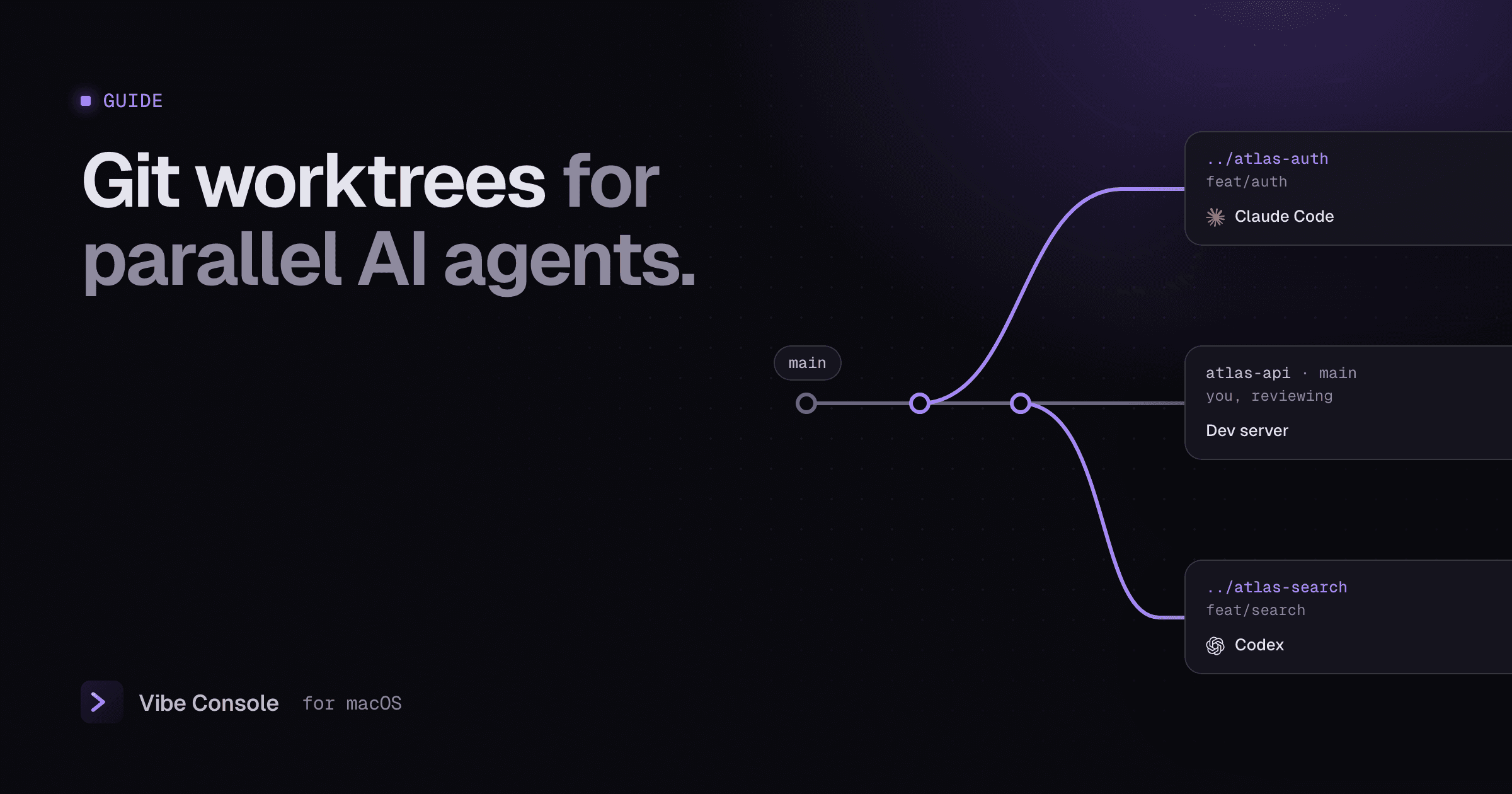
If you run more than one coding agent on a repository, you need git worktrees. They let each agent work on its own branch, in its own folder, at the same time, without stepping on the others.
What is a git worktree?
A normal clone has one working tree: one folder, one checked-out branch. A worktree is an extra working folder attached to the same repository, with a different branch checked out. All worktrees share one .git history, so commits made in any of them are immediately visible to the others, but their files are separate.
For agents, that means:
- Claude Code can edit files in
../atlas-authonfeat/auth - Codex can edit files in
../atlas-searchonfeat/search - You keep reviewing and running the app in the main folder on
main
Nobody overwrites anybody else's changes.
Create a worktree per task
From your main repository folder:
# new branch + new folder next to the repo
git worktree add ../atlas-auth -b feat/auth

# another one, starting from a specific branch
git worktree add ../atlas-search -b feat/search origin/main

# see them all
git worktree list
Then start an agent in each folder:
cd ../atlas-auth && claude
cd ../atlas-search && codex
Name worktree folders after their task. A month from now atlas-auth means something; wt2 does not.
Or let Claude Code create the worktree
Recent versions of Claude Code can create the worktree for you:
claude --worktree feature-auth # or: claude -w feature-authThis creates a worktree under .claude/worktrees/feature-auth/ on a new branch named worktree-feature-auth, and starts Claude inside it. Run it again with another name in a second terminal for a second isolated session. You can also ask Claude to "work in a worktree" in the middle of a session.
A few details from the Claude Code worktree docs:
- Add
.claude/worktrees/to your.gitignoreso worktree files do not show up as untracked in your main checkout. - The repository needs at least one commit.
- When you exit, Claude removes a clean worktree (asking first for a named one) and asks whether to keep a worktree that still has changes.
- A
.worktreeincludefile lists git-ignored files, such as.env, to copy into every new worktree.
Use claude --worktree when Claude Code is the only agent on the task. Use plain git worktree add when you want to choose the folder and branch name yourself, or run Codex or another agent in the worktree.
Set up each worktree before the agent starts
A new worktree contains only the files tracked by git. Before handing it to an agent:
- Install dependencies.
node_modules, virtualenvs and build folders are not shared. Runnpm install(or your equivalent) in each worktree. Package managers with a shared store, such as pnpm, make this fast. - Copy untracked config.
.envfiles and local settings are usually git-ignored, so copy what the app needs to run. Withclaude --worktree, list them in.worktreeincludeinstead. - Use different ports. Two dev servers cannot both listen on port 3000. Start the second on another port, for example
PORT=3001 npm run dev. - Share instructions through tracked files.
CLAUDE.mdandAGENTS.mdare checked into git, so every worktree gets them automatically.
Review, merge and clean up
When an agent is done:
# in the worktree: check the work
git diff main...feat/auth
npm test

# in the main folder: merge
git merge feat/auth

# remove the worktree folder and its registration
git worktree remove ../atlas-auth
git branch -d feat/auth
If you deleted a worktree folder by hand, run git worktree prune to clear the stale entry.
Common pitfalls
- "Branch is already checked out." A branch can be checked out in only one worktree at a time. Create a new branch for each worktree instead.
- Forgotten worktrees. Old worktrees keep branches alive and take disk space. Run
git worktree listnow and then. - Uncommitted changes on removal.
git worktree removerefuses when the worktree has changes. Commit or stash first, or use--forceif you really want to discard them. - Agents editing the main folder. Start each agent from inside its worktree folder, not from the repository root.
Worktrees in Vibe Console
Vibe Console keeps worktrees visible while agents work in them:
- The Worktrees tab in Source Control (⌘⇧G) lists every worktree with its branch, marking the main one and any detached checkouts.
- Drag a worktree onto a terminal to paste its path, then start an agent there with ⌘K.
- Remove worktree cleans one up when you are done, and asks for Force Remove if it still has local changes. The main worktree is protected.
- The grid shows up to nine terminals, so each worktree's agent can have its own pane. See running agents in parallel.
Create worktrees with git worktree add or claude --worktree as shown above; both appear in the list right away.
FAQ
Do worktrees use a lot of disk space?
Only for the checked-out files and anything you install into them. The git history is shared.
Should I use worktrees or separate clones?
Worktrees. They share one history, so branches and commits are instantly available everywhere, and cleanup is a single command.
Can two agents share one worktree?
Only if at most one of them edits files. A reviewer agent that only reads can share a worktree with the agent writing the code.
Try it free for 14 days: download Vibe Console.